ID Upload Guidelines for New Patients
Before your appointment, Passion Health Advanced Primary Care may ask you to upload a valid photo ID. This helps our care team confirm your identity, protect your medical information, and make your check-in process easier.
Why ID Verification Is Needed
ID verification helps confirm that the right patient receives the right care. It also helps protect your personal health information and supports a safe appointment experience.
Please upload your ID before your visit to avoid delays during check-in.
Accepted Photo IDs
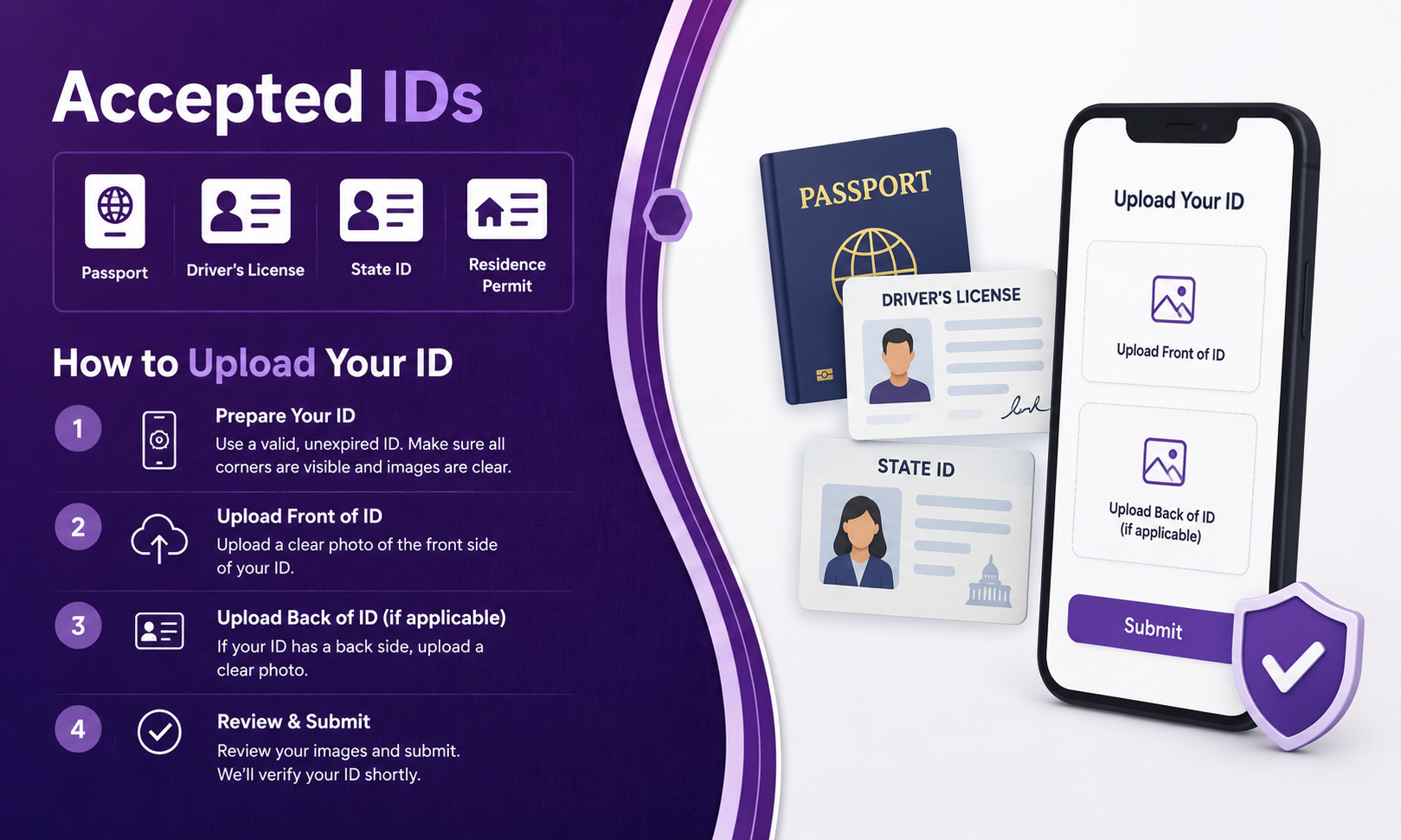
You can upload a valid government-issued photo ID. Accepted IDs may include:
Driver’s license
State ID card
Passport
Passport card
Permanent resident card
Other valid government-issued photo ID
Make sure the ID is current, clear, and easy to read.
How to Upload Your ID
To upload your ID, log in to your patient portal or follow the appointment check-in steps sent by Passion Health.
Take a clear photo of the front of your ID. In some cases, you may also need to upload the back side of the ID.
Tips for a Clear ID Upload
Use good lighting and place your ID on a flat surface. Make sure all four corners are visible. Avoid glare, shadows, blurry photos, or cropped images.
Your name, date of birth, photo, and ID details should be readable.
What to Do If Your ID Upload Fails
If your ID upload does not work, try taking a new photo with better lighting. Check that the file is not blurry and that the full ID appears in the image.
If you still have trouble, contact the Passion Health Advanced Primary Care team for help before your appointment.
Need Help Before Your Visit?
Our team is here to help you complete your check-in steps. If you have questions about accepted IDs or uploading your ID, please contact Passion Health Advanced Primary Care before your appointment.